Execution Plans
Execution plans you can read at a glance
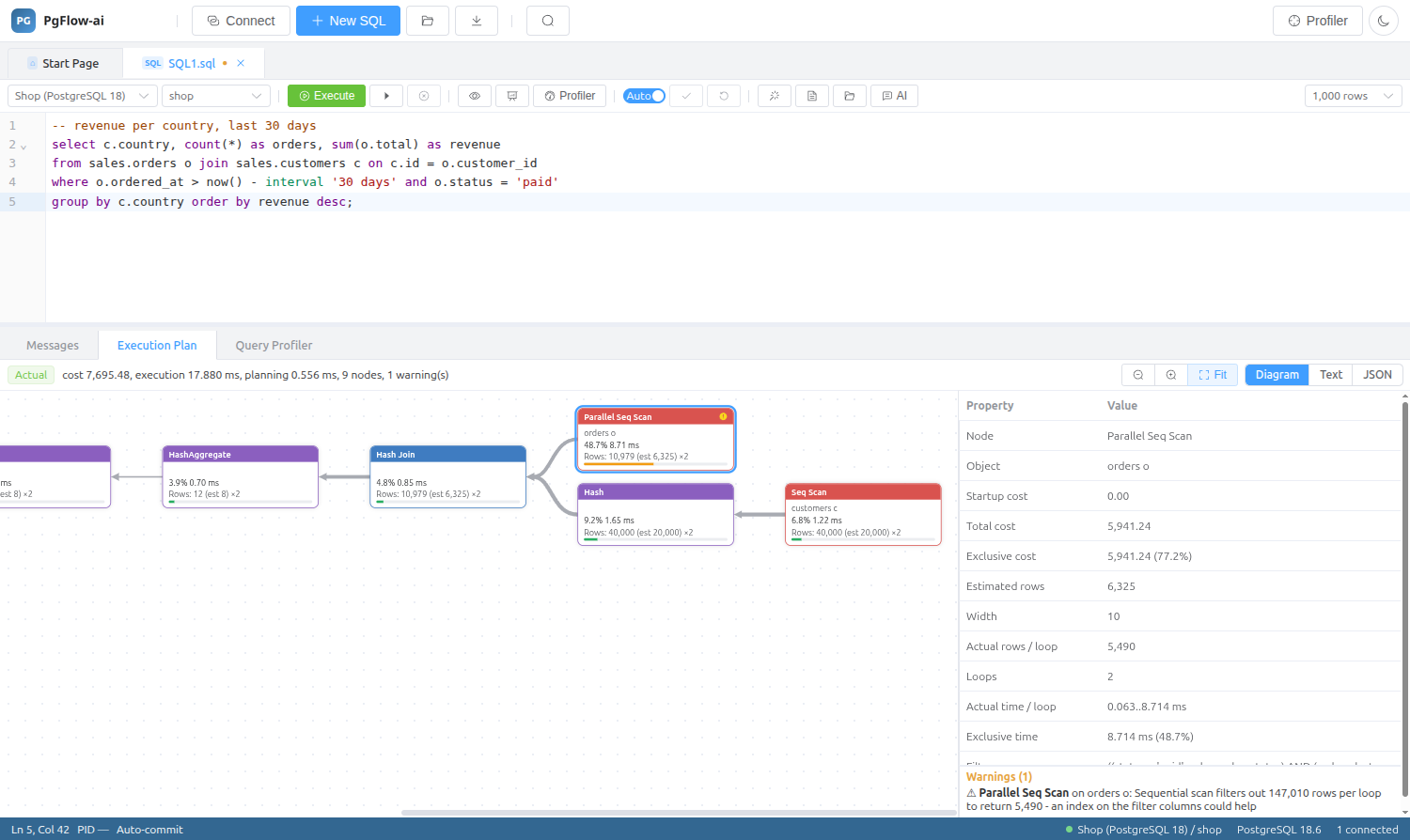
Estimated and actual plans drawn as a diagram, root on the left and data flowing right to left, with edge widths that follow the row count and the expensive nodes easy to spot.
14-day trial · no account · no card
Estimated or actual, safely
The estimated plan uses EXPLAIN (SETTINGS, FORMAT JSON) and executes nothing. The actual plan uses EXPLAIN (ANALYZE, BUFFERS, WAL, FORMAT JSON) inside a transaction that is always rolled back, so even INSERT, UPDATE and DELETE statements can be analysed without keeping their effect.
- Ctrl+L for the estimated plan, Ctrl+M for the actual plan
- Statements captured with unlogged parameters use EXPLAIN (GENERIC_PLAN) on PostgreSQL 16+
- Plans logged by auto_explain appear directly as Showplan events
Where the time goes
Every node shows its exclusive cost and time as a percentage, and a properties panel lists startup and total cost, estimated and actual rows, loops and timings.
Heuristic warnings
Common problems are flagged on the node where they happen:
- Bad row estimates
- Sequential scans that filter out most rows
- Sorts and hashes spilling to disk
- Stale visibility maps
- Parallel workers that were planned but not launched
From the editor or from a trace
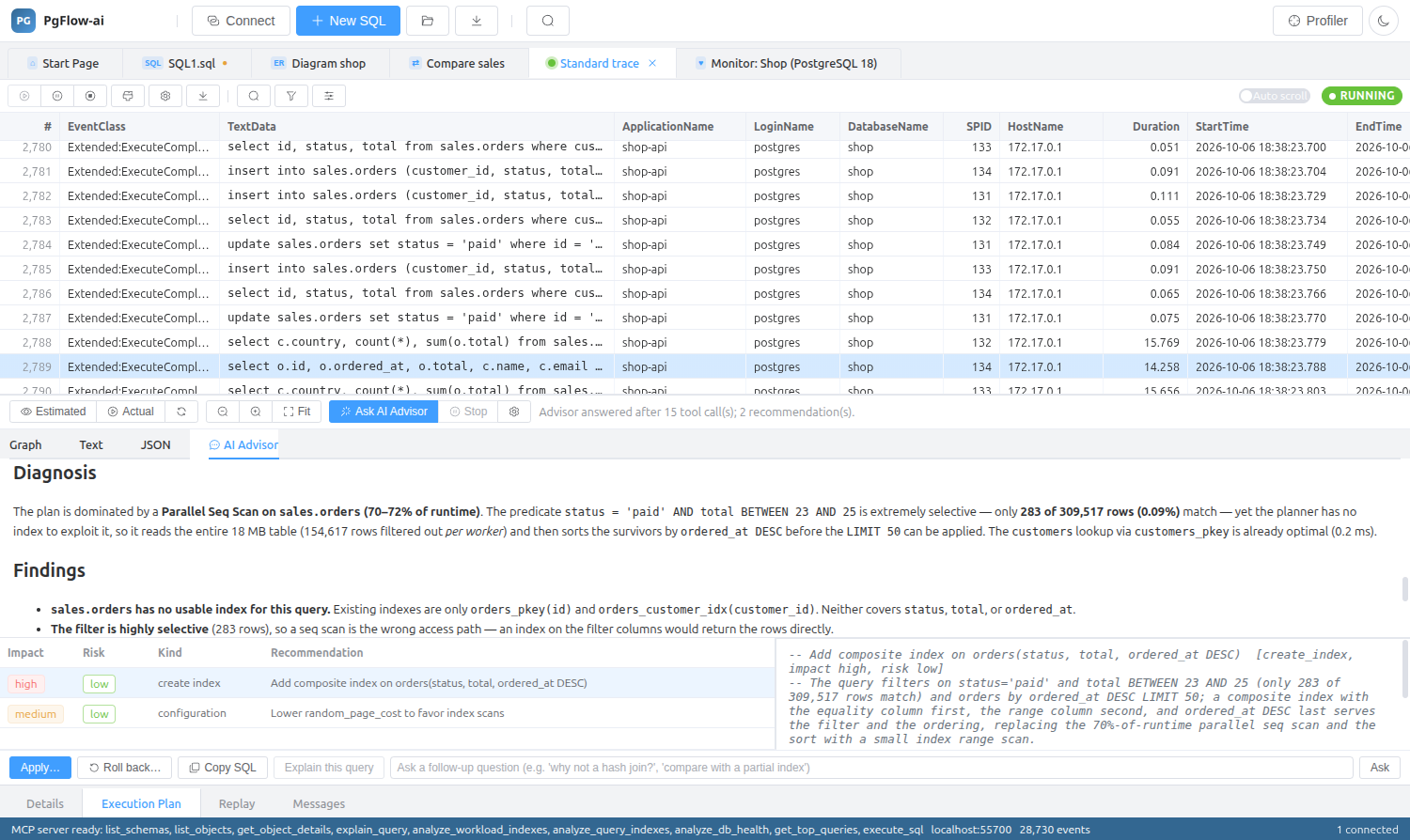
Plans are available in the SQL editor’s Execution Plan tab and under any statement in a profiler trace, where logged bind parameters are substituted first. Text and JSON views are there when you need the raw output, and the AI Advisor is one click away.
Execution Plans: questions
Does the actual plan change my data?
No. The actual plan runs EXPLAIN ANALYZE inside a transaction that is always rolled back.
Can I see plans for prepared statements from my application?
Yes. When the profiler captured the bind parameters they are substituted before EXPLAIN runs. Without them, PostgreSQL 16 and later can produce a generic plan.
Can I still see the plain EXPLAIN output?
Yes, Text and JSON views sit next to the diagram.
Related features
Try it on your own database
Download PgFlow-ai and press “Start free trial” in the app. 14 days, every feature, no account and no card.