Query Profiler
A live trace of everything your PostgreSQL server runs
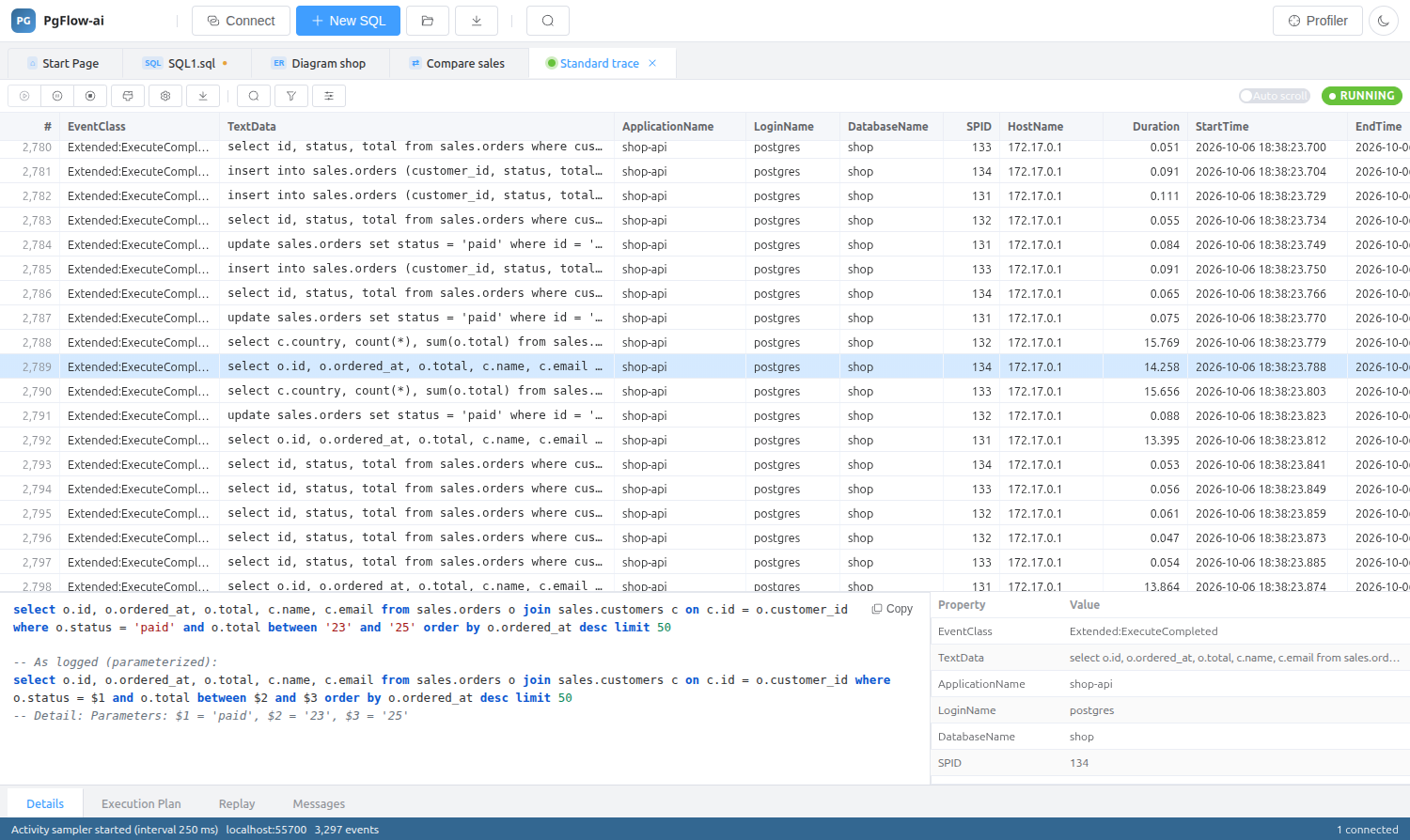
Pick a template, press Run and watch statements, prepared-statement phases, errors, lock waits and logins stream into a grid. If you have used SQL Server Profiler, you already know how it works.
14-day trial · no account · no card
Three sources, one event stream
PostgreSQL has no trace API, so the profiler builds its stream from three complementary sources and maps them onto Profiler-style event classes and data columns.
- Server log (stderr, csvlog or jsonlog): every statement with its exact duration, prepared-statement phases with bind parameters, errors, deadlocks, lock waits, logins and logouts, checkpoints, autovacuum and auto_explain plans.
- Activity sampling (pg_stat_activity): sessions, running statements, long-running statements and lock blocking with the blocking PIDs. It works out of the box with pg_read_all_stats.
- Statement statistics (pg_stat_statements): per-query deltas for calls, total time, rows and block reads and writes.
Templates and filters that keep the noise down
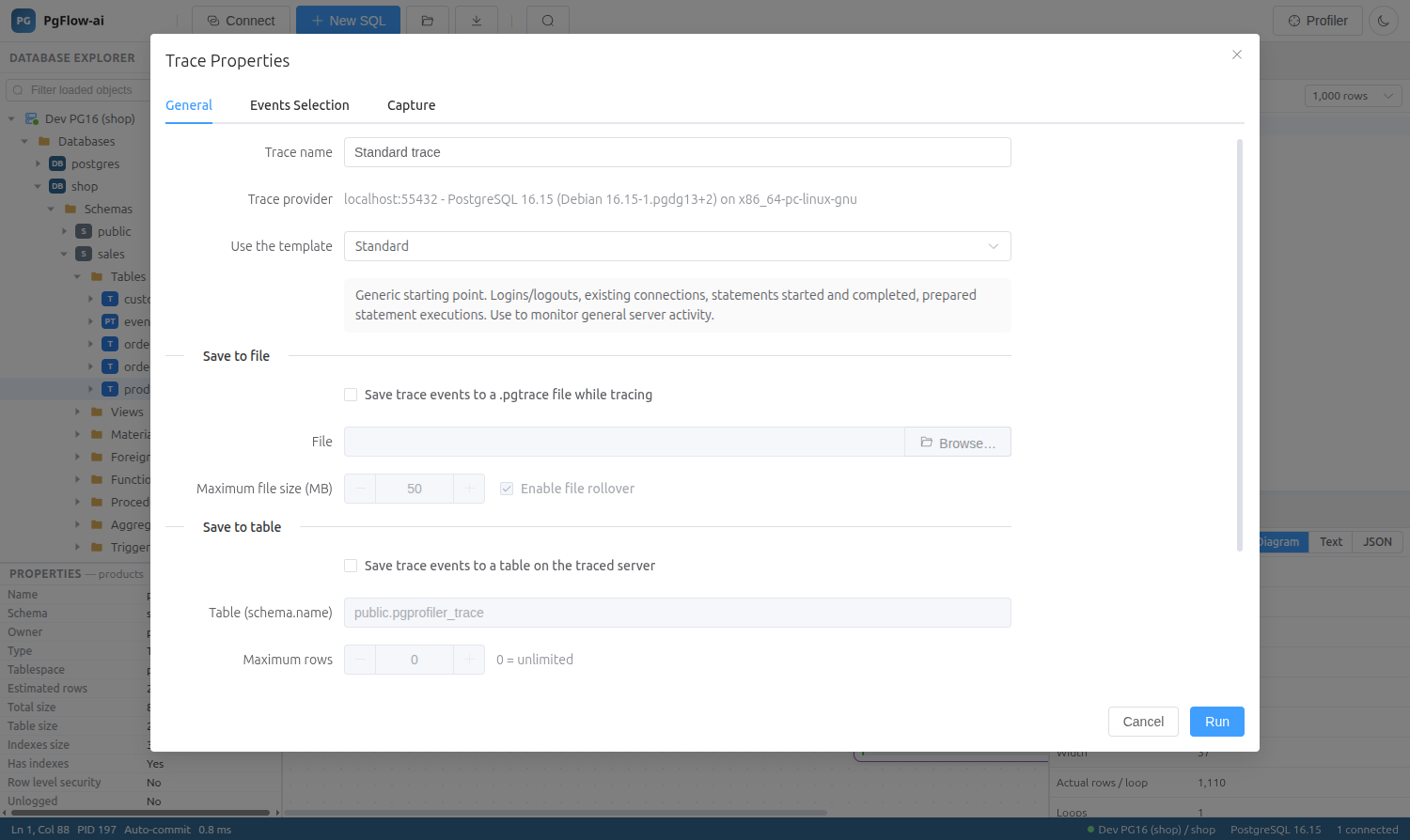
Start from a predefined template (Standard, SQL_Duration, SQL_Locks, Tuning, Errors_and_Warnings, Activity_Sampler and more) or save your own. Column filters are applied at capture time, using the operators Profiler users expect.
- Like / Not like for text; Equals, Not equal, Greater than or equal and Less than or equal for numbers and times
- Filter displayed events after capture, or right-click a cell to filter by or exclude that value
- Events Selection with per-column check boxes, grouped by category
- The Activity_Sampler template needs no server change at all
Read the trace, not just scroll it
Rows are colour-coded for errors, locks, logins and plans. The lower pane shows the syntax-highlighted statement with its parameters substituted, next to a table of every event property.
- Grouped and aggregated views with counts per group (Ctrl+G)
- Find / Find Next, bookmarks and copying rows
- Sortable columns once the trace is stopped
- Several traces side by side in tabs
Save, extract and replay
Keep a trace as a .pgtrace file (JSON Lines, with a size limit and rollover) or in a PostgreSQL table, and open it later. Export to CSV or JSON, or extract the statements as a SQL script.
- Replay against any server, with one connection per original session to keep transaction semantics
- Original timing with a speed factor, or as fast as possible
- Single step, run to cursor, breakpoints and pause on error
Changes to the server are put back
When the selected events need statement logging, the profiler can turn it on with ALTER SYSTEM and restore the previous values when the trace stops. Untick that option on servers you must not reconfigure. Settings that need a restart (logging_collector, shared_preload_libraries) are never changed.
Query Profiler: questions
Do I need to install anything on the PostgreSQL server?
No extension is required. The Activity_Sampler template works with only the pg_read_all_stats role. For exact durations and bind parameters the profiler reads the server log, which needs statement logging; pg_stat_statements adds the Reads and Writes columns when it is preloaded.
How does the profiler read the server log?
Through SQL with pg_read_binary_file() when the role may read server files, from a local file, or from a command such as docker logs -f for containers. The Capture tab of Trace Properties lets you pick the source.
Is it safe to trace a production server?
Logging every statement has a cost on busy servers. Use column filters, limit the events, or use the sampler-only template on production systems, the same advice Microsoft gives for SQL Server Profiler.
Can I process trace files with other tools?
Yes. A .pgtrace file is JSON Lines: a header line followed by one JSON object per event, so jq, pandas and similar tools can read it. Traces saved to a table use the same column names.
Related features
Try it on your own database
Download PgFlow-ai and press “Start free trial” in the app. 14 days, every feature, no account and no card.