Server Monitor
What your server is doing, right now
A live overview of connections, transactions, cache hits, rows read and written, WAL and checkpoints, with the sessions, locks and queries behind the numbers one tab away.
14-day trial · no account · no card
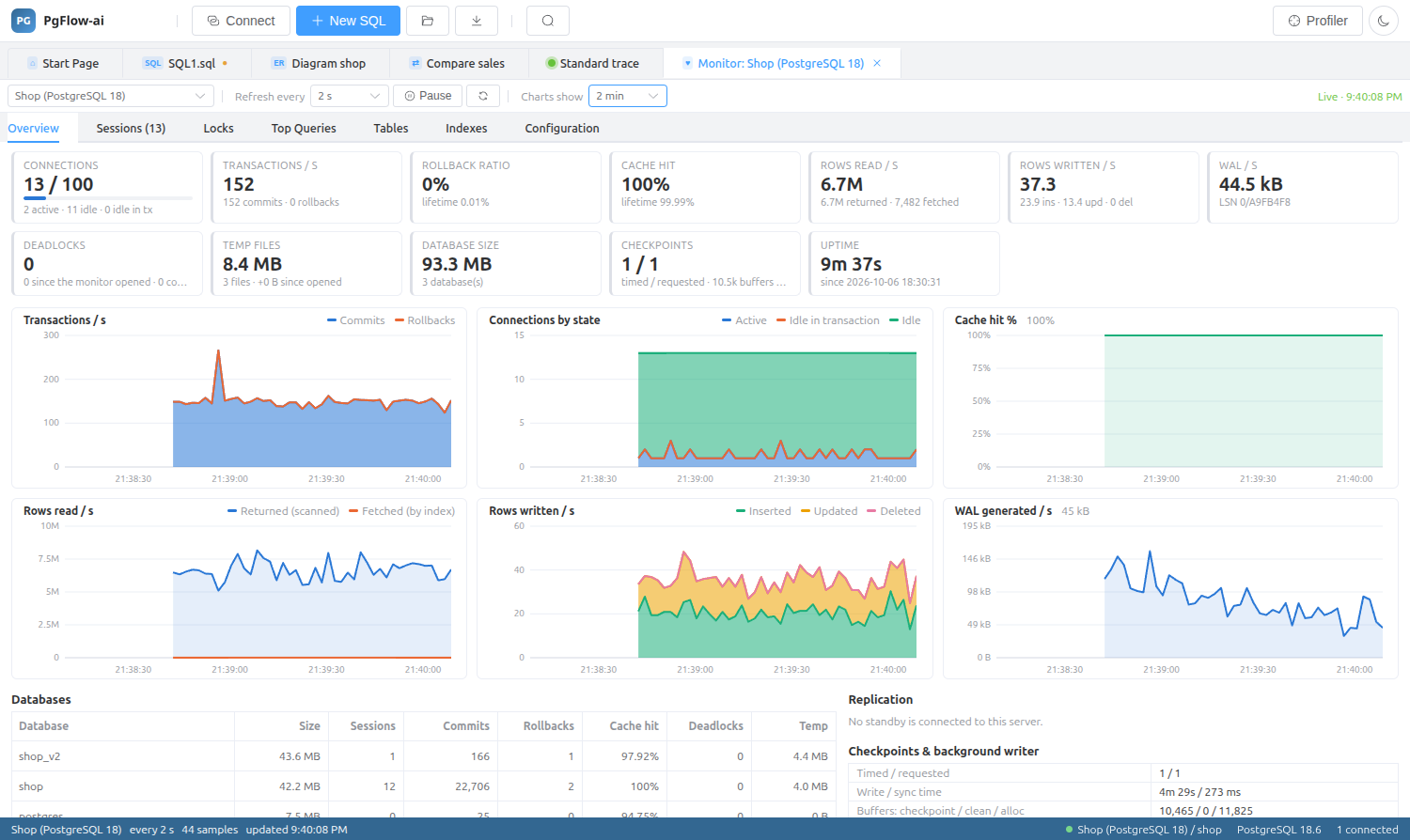
Live charts
Choose a refresh interval and a chart window and watch transactions per second, connections by state, cache hit ratio, rows read and written, and WAL generated, alongside per-database statistics.
Sessions and locks
See every session with what it is running, and act on it.
- Cancel a query or terminate a backend
- Lock chains: who is blocking whom
- Top queries
- Table and index health
- Server settings
Goes well with the profiler
The monitor shows the shape of the load; a profiler trace shows the individual statements behind it, with durations and parameters.
Server Monitor: questions
Does the monitor need an agent on the server?
No. It reads PostgreSQL’s statistics views over a normal connection.
Can I kill a runaway query from the monitor?
Yes. Sessions can be cancelled or terminated, given the privileges PostgreSQL requires for that.
Related features
Try it on your own database
Download PgFlow-ai and press “Start free trial” in the app. 14 days, every feature, no account and no card.