SQL Editor
A SQL editor that knows your database
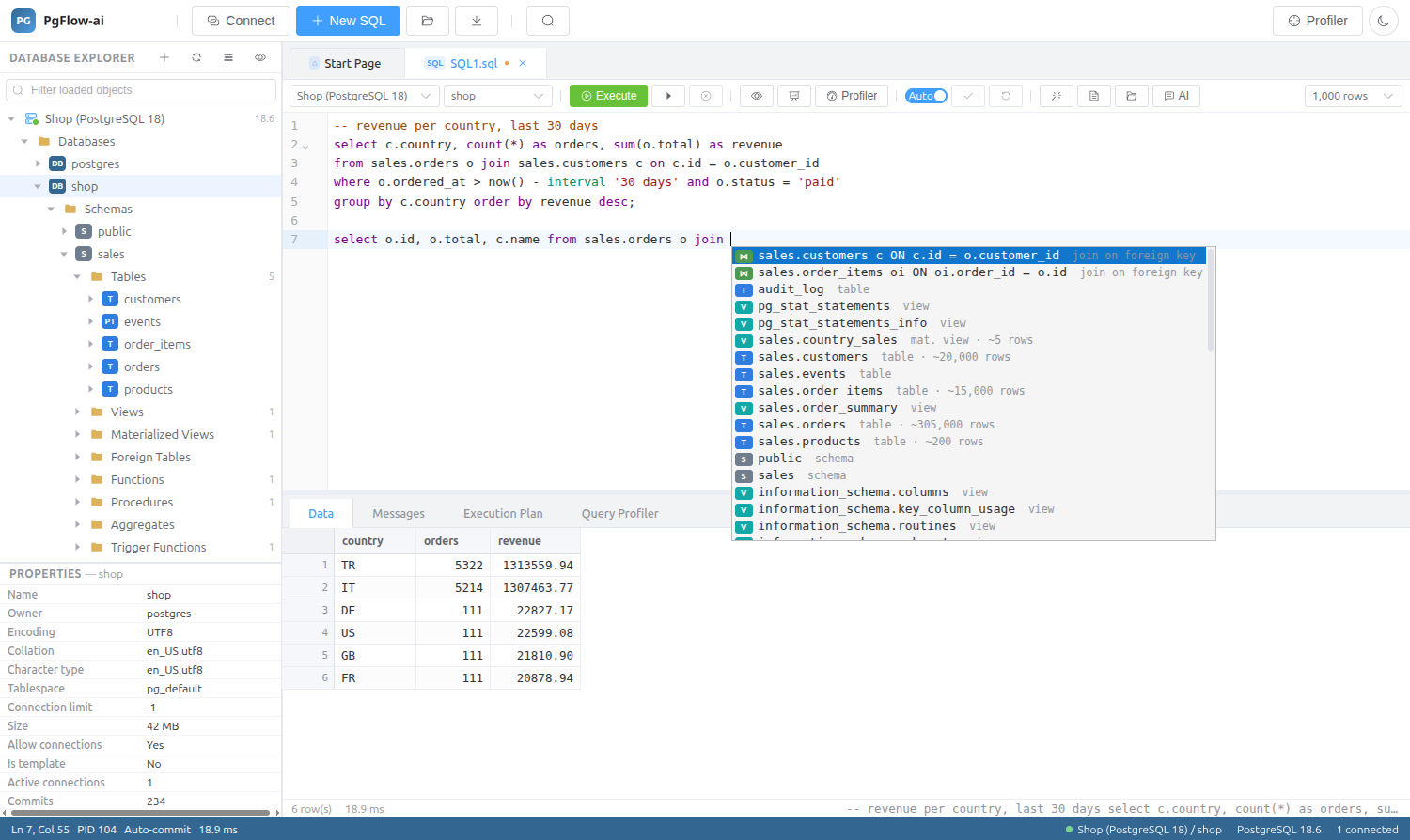
Completion comes from the live catalog, including JOIN suggestions that follow your foreign keys. Run a script, the current statement or a selection, and page through large results with a server-side cursor.
14-day trial · no account · no card
Write
PostgreSQL syntax highlighting and completion from the live catalog.
- JOIN completion on foreign keys
- Snippets and a Snippets Manager
- Formatter and comment toggle
- Inline error markers and server notices
Run
Execute the whole script, the current statement or the selection, and cancel at any time.
- Server-side cursor paging for large results
- Auto-commit or manual transactions
- Result export
- Query History of every statement you ran, searchable
Understand
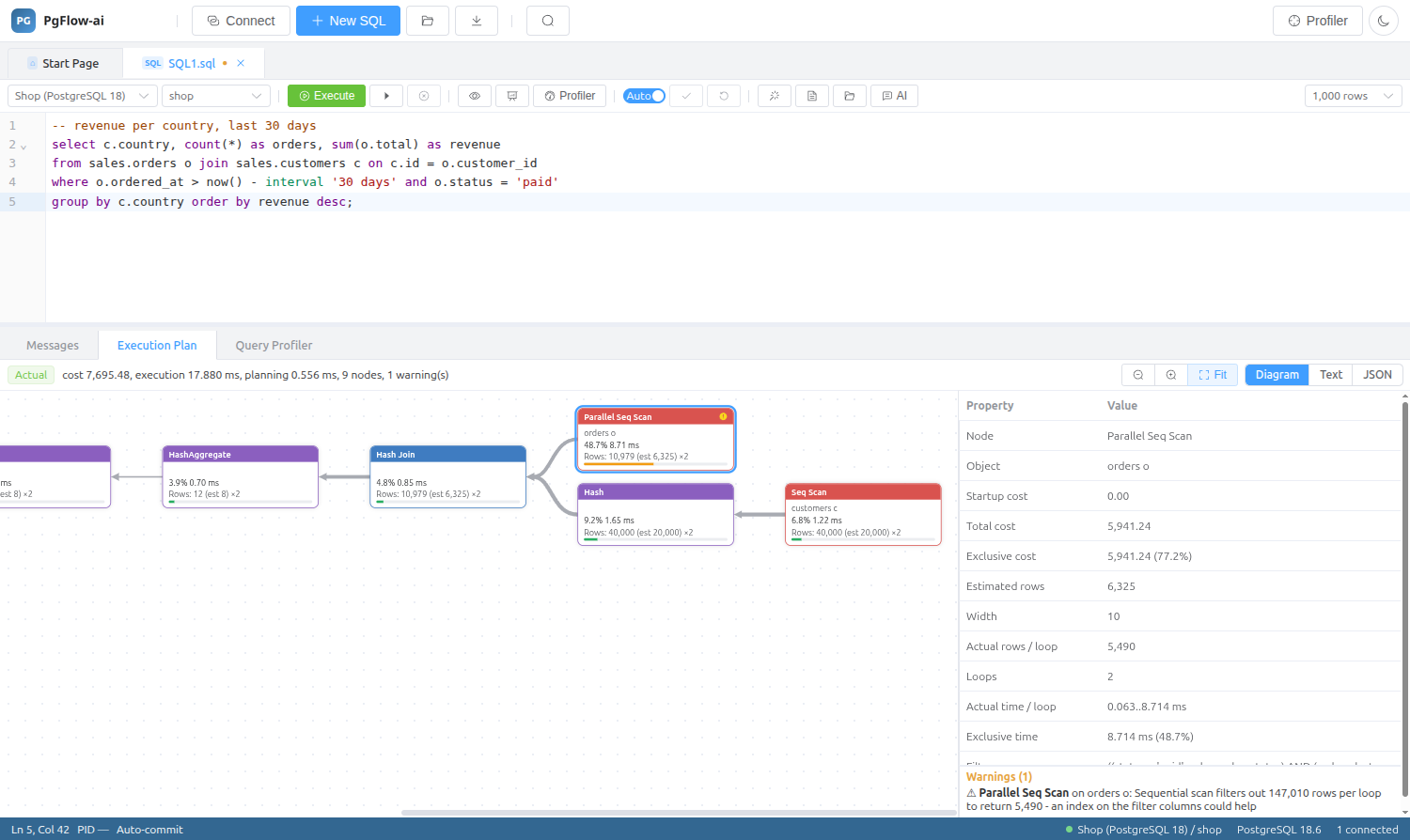
Estimated and actual plan diagrams sit under the editor, and the Query Profiler lets you profile runs of a query and compare them. The AI Assistant generates, explains, optimizes and fixes SQL with your schema as context.
Find things
The Database Explorer covers every object type, with context menus, a filter and optional system objects. Find Object searches names and source code across a database.
SQL Editor: questions
Is there a PL/pgSQL debugger?
No. A step-through PL/pgSQL debugger is not included, because it needs the pldebugger server extension.
Does completion work with my own schemas?
Yes. Suggestions come from the live catalog of the database you are connected to.
Can I use manual transactions?
Yes. Switch between auto-commit and manual transactions in the editor toolbar.
Related features
Try it on your own database
Download PgFlow-ai and press “Start free trial” in the app. 14 days, every feature, no account and no card.